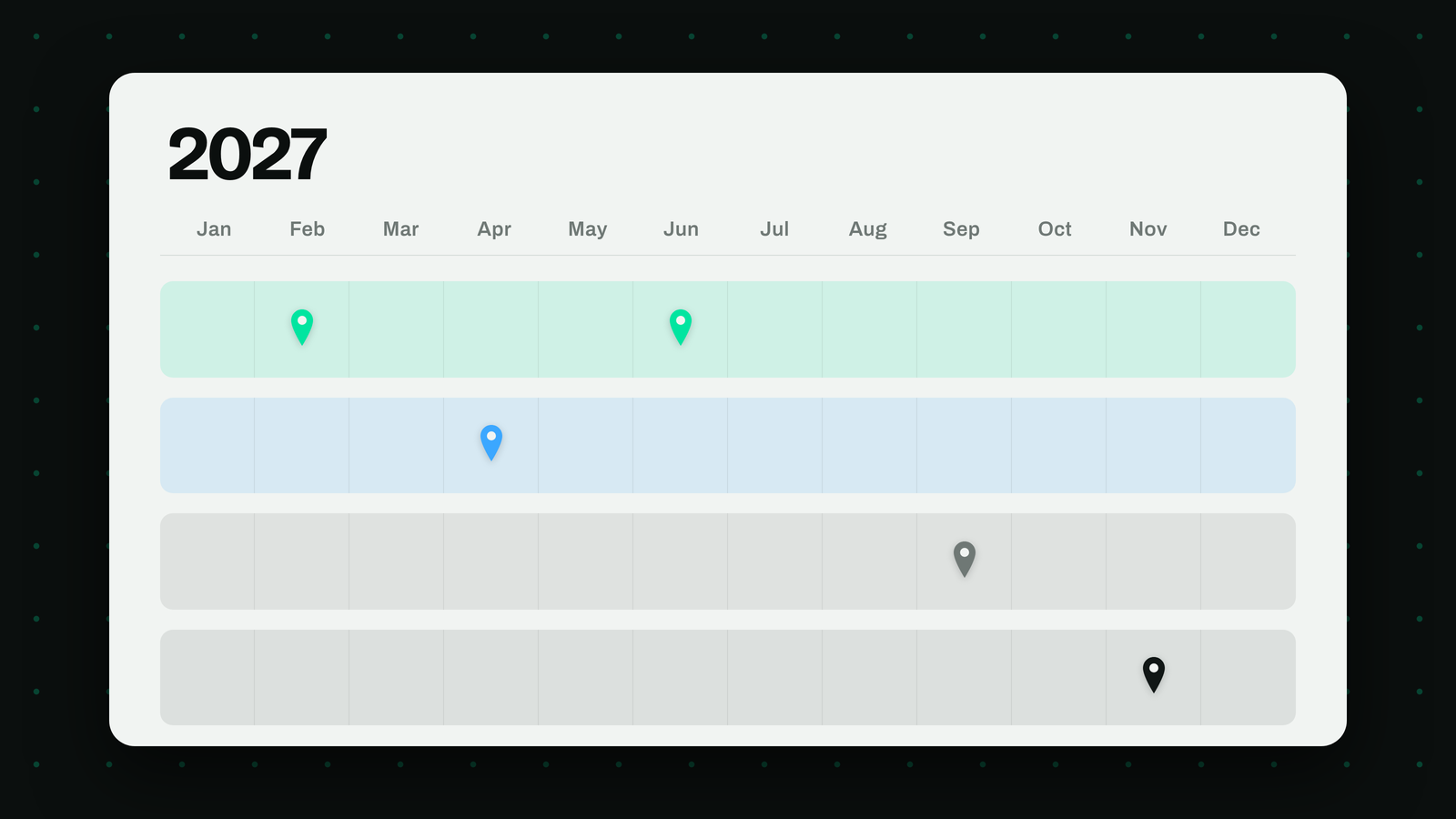
 With the themes and fixed dates in place, a year of content fits on one page.
A content calendar for 2027 sounds like a big job, so plenty of teams leave it until January and then decide one week at a time for the rest of the year. One afternoon in late November is enough for a first pass. Bring your launch dates and a list of last year's posts, and you can leave with the whole year roughly mapped. This guide covers how to make a content calendar that still makes sense in June, written for owners and small marketing teams.
What should a content calendar include?
So what goes on the page? The plainest version is a list of dates with a topic beside each one. Add the person writing it and the channel it goes out on, whether that's your website or LinkedIn, and you already have a usable calendar. Two more columns earn their place. One names the theme each piece belongs to, and the other shows where it stands, from idea to published.
Keep the columns to the ones your team will fill in. A calendar with fifteen headings looks thorough in November and sits half empty by March.
How many themes does a year of content need?
With the columns sorted, the afternoon turns to themes. Pick three or four broad subjects you'd happily talk about all year, drawn from the questions customers ask you and the services you sell most. Say you run an accounting firm. Your themes might be cash flow, your local tax deadlines, hiring a first employee and planning for growth, and every post you write next year can sit under one of them.
This year's posts help here too. If you're unsure which topics earned their keep, a content audit shows which pages people still read and which ones could do with a rewrite. The topics that keep pulling readers in are strong candidates for a theme.
Where do launches and seasons go?
With the themes chosen, put the fixed dates on the page before you plan a single post. Mark your product launches, your busy season, trade events and the end of your financial year. Those dates are the reason a lot of your content exists, so the calendar should be built around them.
Then count back a few weeks from each one, because people search ahead of a season. Google Trends (https://trends.google.com) is useful for this. Type in a phrase your customers would search, set the range to the past five years, and you can see which months interest climbs. A guide like our end of year email to clients earns its keep in late November, when people sit down to write one, and a post published in mid December would arrive after most of them have hit send.
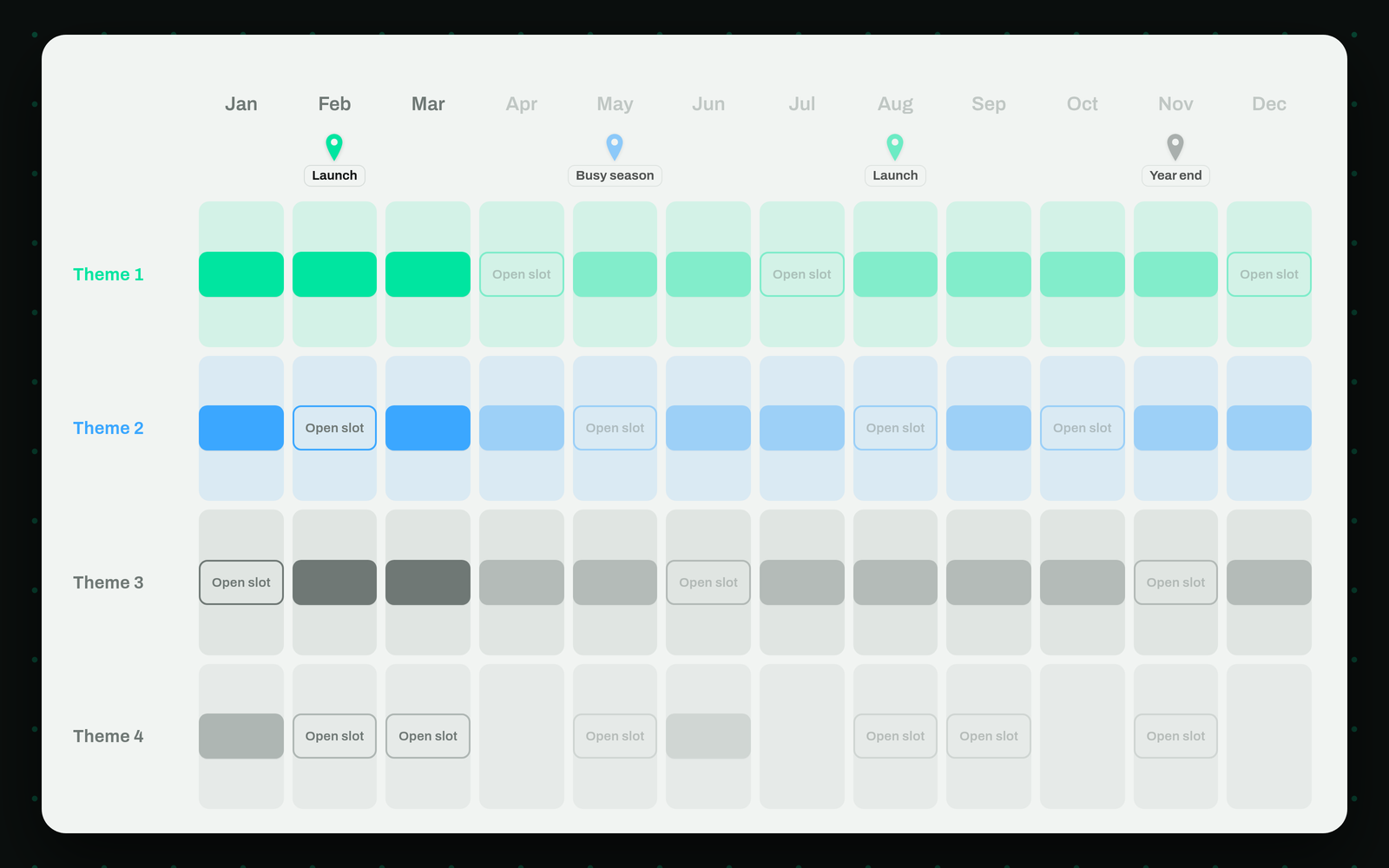 Fixed dates go on first, then the themes fill the weeks around them, with room left each month for news.
How frequently should you publish?
Seasons tell you when to publish, and your team's time tells you how many posts a month you can manage. Set the pace by your busiest month. A fortnightly post that turns up on time all year gives readers a habit, and a weekly schedule only helps while your team has the hours to write it.
Google's own advice points the same way. Its guide to creating helpful content (https://developers.google.com/search/docs/fundamentals/creating-helpful-content) lists warning signs, including writing "about things simply because they seem trending and not because you'd write about them otherwise for your existing audience". It also says Google has no preferred word count. So treat each slot as a reason to publish a useful post, and let a week pass quietly when the post isn't ready.
A steady pace is easier to hold when one piece feeds several channels. A long article in a given month can become a newsletter section and a handful of LinkedIn posts. That's how a social media calendar for 2027 can come from the same calendar, with each social post pointing back to the piece it came from.
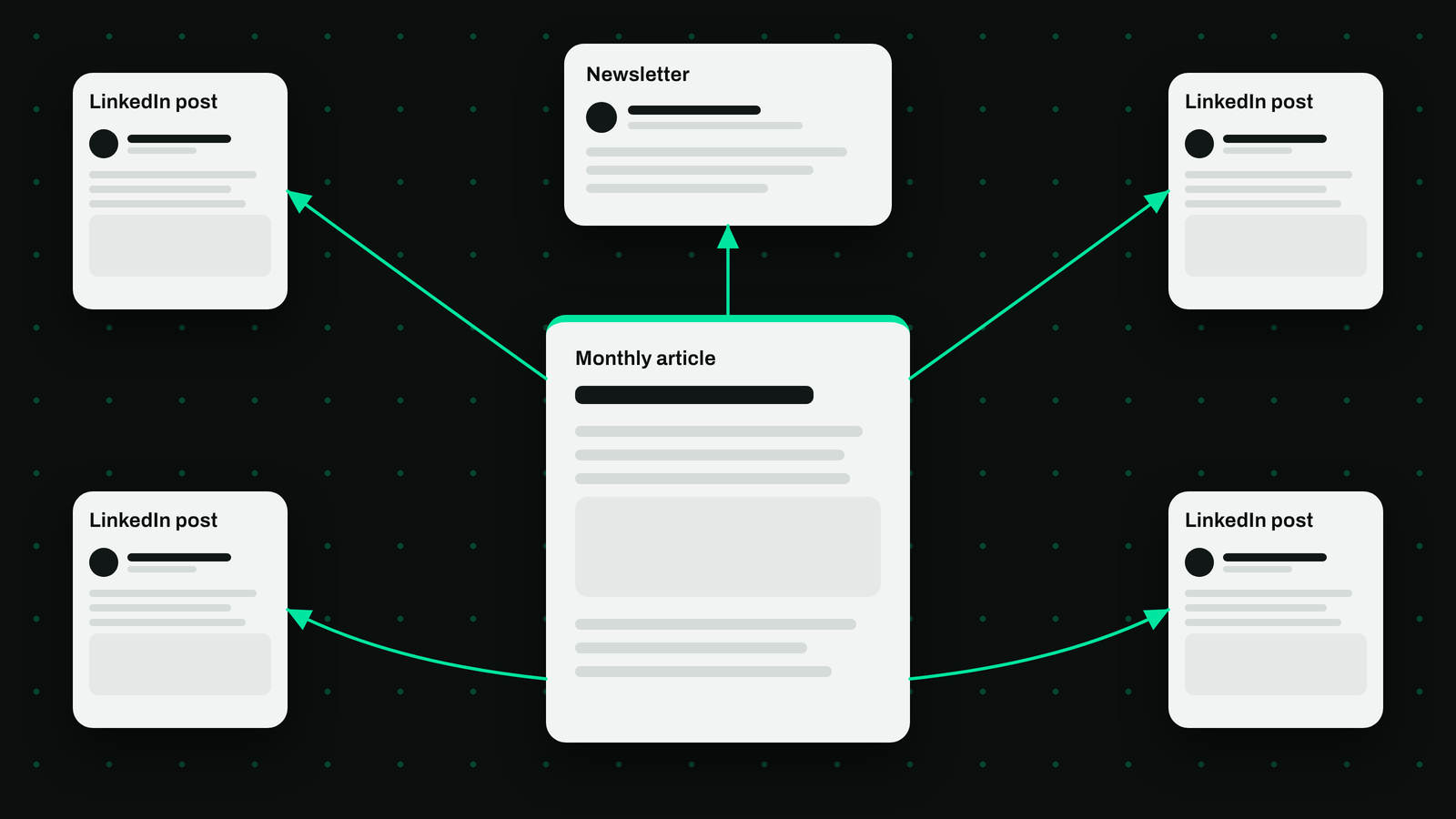 A single well researched article can carry a month of posts across your channels.
What does a good content calendar look like?
Put together, a good calendar is mostly empty space with a clear shape. Each month shows its theme and fixed dates, with two or three planned pieces underneath. Leave a slot or two free every month for industry news or a customer question you hadn't expected. A calendar with zero gaps breaks the first time a launch date slips.
Fill the first three months in detail and pencil in the rest. You'll know more about April by the time April is close, and the themes keep the later months pointing the same way.
What happens after the afternoon?
After that, the calendar needs a short review every quarter. Look at which posts people read and which dates have changed, then adjust the next three months. An hour each quarter keeps the calendar honest, and the afternoon you spent in November keeps paying for itself through the year.
FAQ
What is the difference between an editorial calendar and a content calendar?
People use the two names loosely. An editorial calendar usually means the publishing plan for articles and blog posts. A content calendar tends to cover every channel, including social posts and email newsletters. For a small team one calendar can do both jobs.
What is the best tool for creating a content calendar?
The best one is the tool your team already opens every day. A shared spreadsheet or the project board you use for client projects is plenty. The thinking behind the calendar carries the value, and the software only has to keep it visible.
How do you structure a content calendar?
Structure it by month, with your themes as the main thread and the fixed dates marked first. Under each month, list the planned pieces with a date, an owner, a channel and a status. Keep a few open slots so the calendar can bend when the year surprises you.
Want help with your 2027 plan?
If you'd like a hand turning the calendar into finished posts and campaigns, we're happy to help. At Markazer, people lead the strategy and own the results, and AI helps us deliver quickly. You can see how we help on our services page or email us at hello@markazer.com.